================== BASH ALIAS MEGA LAUNCHER ==================
Bash, ash or sh is included in every OS I use. Scripts enable tremendous functionality.
Shortcut and context menu actions make it easy.
------------------
After seeing the coolness factor of text art on the internet, I made a launcher for any action I needed.
Programs, scripts, aliases and shortcuts to the file system are shown as text art at the prompt,
enabling a double click to copy then pasting to the prompt.
I have over 800 entries accessible from this layout.
Every 3 digit number and nearly every contiguous linear word is an alias. Just enter directly or copy-paste.
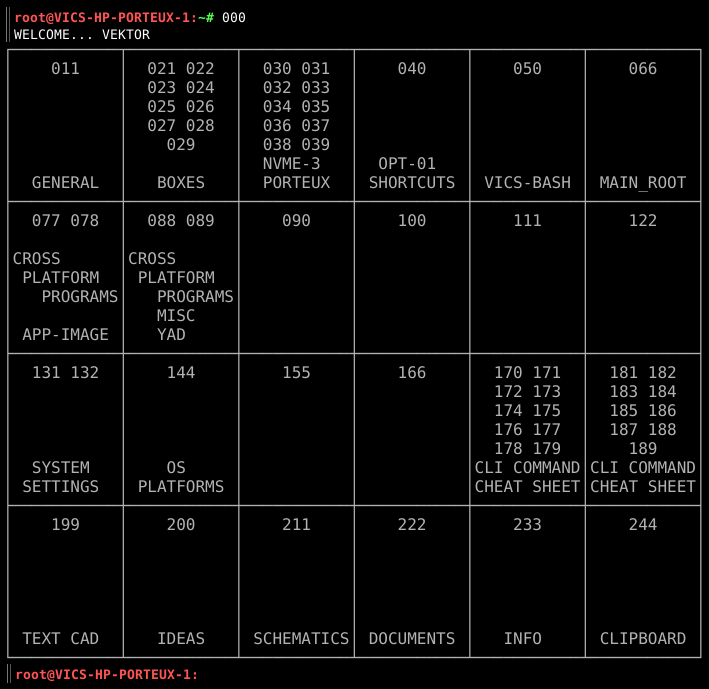
I used a basic text editor and asciiflow.
Asciflow is very cool and also works great when saved locally as a complete web page.
I also use it for electrical schematics and mechanical diagrams.
------------------
After entering 000 at the prompt, you get the MAIN grid shown above.
Enter 011 from the top left brings up the GENERAL category, like this:
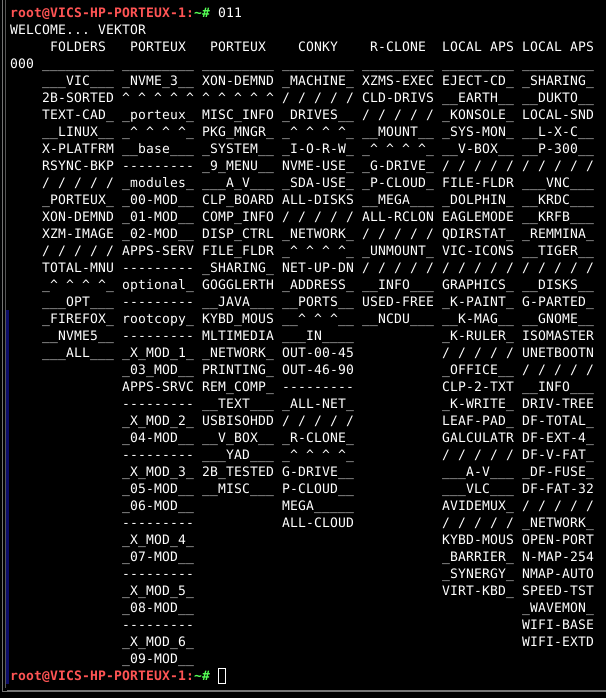
Category headers at top, multiple sub-headings in each category
and the contiguous linear word as an alias, to enable double click copy.
On the left indent is the next level up, like a back button.
The slashes, dashes and carets are my way to separate items. There is likely a better way.
------------------
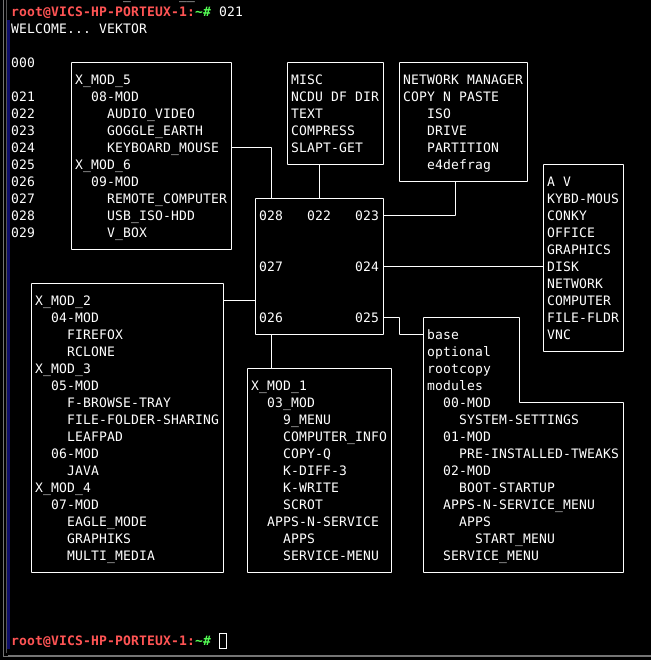
The next concept after categories is boxes. It is more freeform with less structure.
------------------
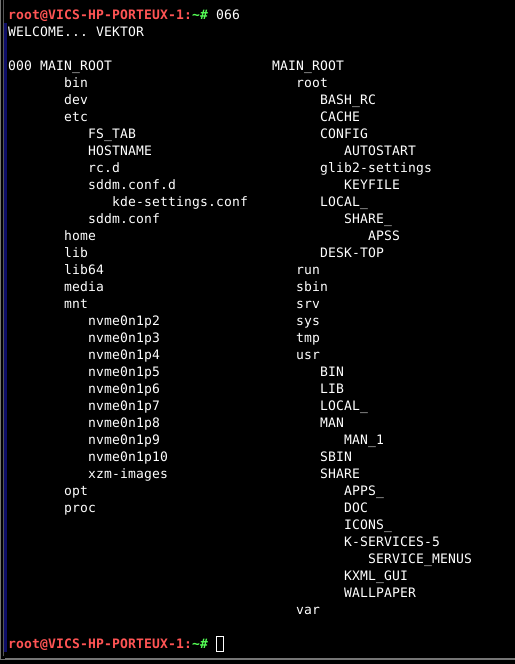
This is just an old school outline of the root file system.
------------------
Here is an easier to follow outline.
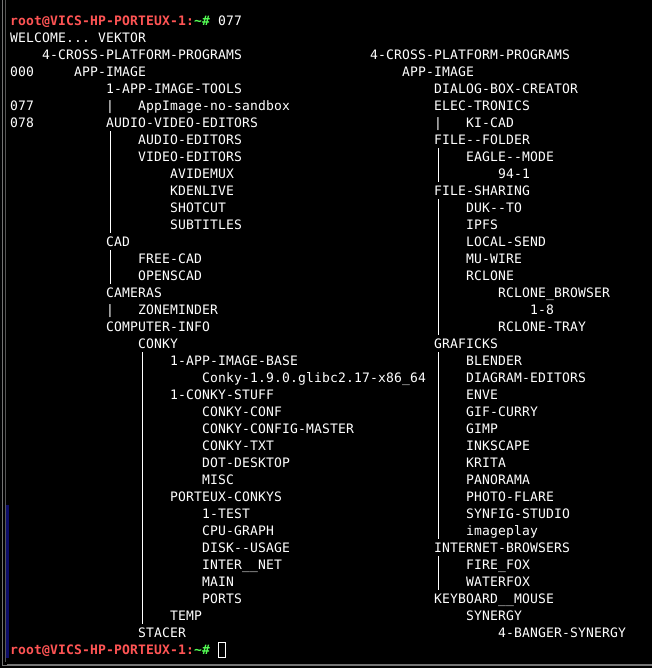
Notice that I had to change the spelling of names so the aliases would not conflict.
------------------
That about does it for my super duper BASH ALIAS MEGA LAUNCHER.
I probably made some mistakes. Hope you can do it better.
==================